UX Design • Enterprise B2B

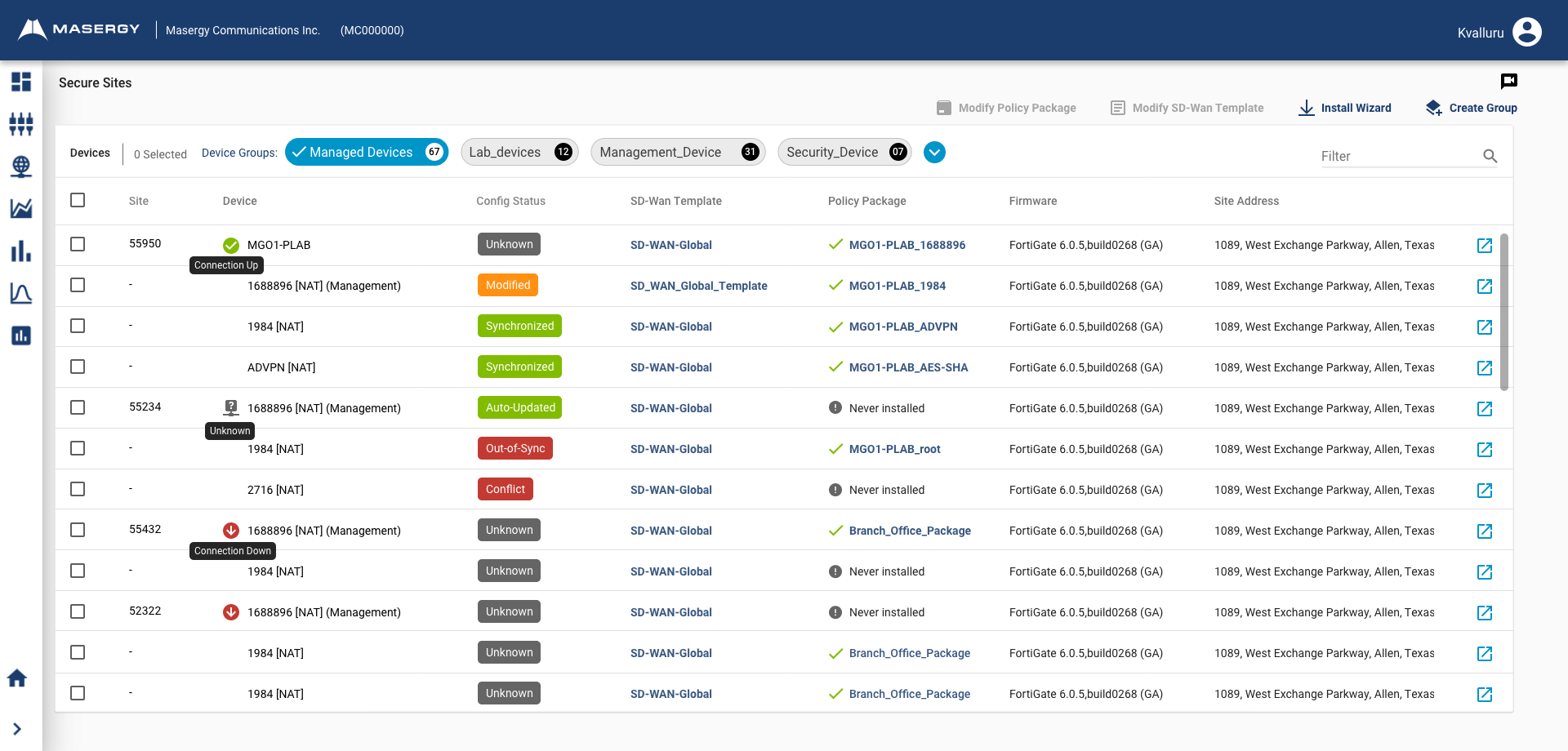
Enterprise Network Management Platform

Comprehensive UX design for enterprise network configuration platform, focusing on network management and optimization. Streamlined complex deployment workflows and enhanced monitoring interfaces for business customers.

Role Lead UX Designer
Timeline 10 Months
Team 10 Members
Tools Figma, Axure, Miro
Enterprise Network Management Platform Dashboard

Project Overview

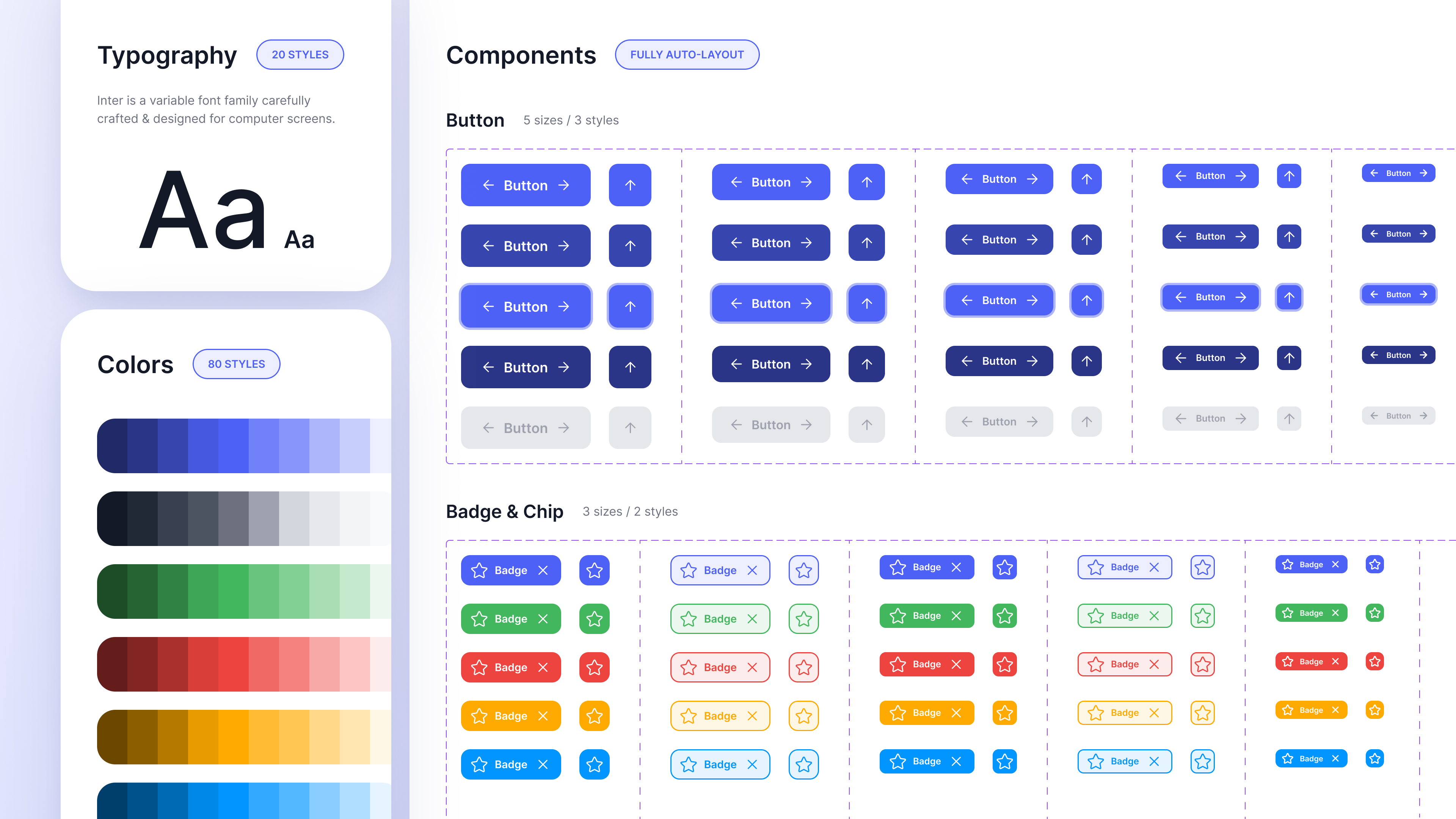
The challenge was to create a design system that could scale across multiple products while reducing design and development time by 40%. Traditional design systems require manual maintenance and updates, leading to inconsistencies and increased workload for design teams.

Our solution was to integrate AI capabilities into the design system, enabling automatic component generation, style suggestions, and intelligent pattern recognition. This approach not only improved consistency but also empowered designers to focus on higher-level creative work.
The Problem

Before implementing the AI-powered design system, the organization faced several critical challenges:

  • Inconsistency: Multiple design teams creating similar components with slight variations, leading to brand inconsistency
  • Time Consumption: Designers spending 60% of their time on repetitive component creation instead of solving user problems
  • Scalability Issues: Manual updates to components requiring changes across multiple files and products
  • Knowledge Gap: New team members struggling to understand design patterns and component usage

Design Process

Following a user-centered design approach, I led the team through a comprehensive design process

1

Research & Discovery

Conducted stakeholder interviews, analyzed existing design patterns, and identified pain points in the current workflow. Gathered requirements from 15+ designers across 5 product teams.

2

AI Integration Strategy

Designed the AI architecture to understand design patterns, suggest components, and maintain consistency. Created training datasets from existing design components.

3

Component Library Design

Built a comprehensive component library with 200+ reusable components, each with multiple variants and states. Ensured accessibility and responsive design standards.

4

Prototyping & Testing

Created interactive prototypes and conducted usability testing with designers and developers. Iterated based on feedback to improve the AI suggestions and component organization.

5

Implementation & Training

Worked closely with engineering teams to implement the design system. Created comprehensive documentation and conducted training sessions for all design teams.

6

Iteration & Optimization

Continuously monitored usage patterns, collected feedback, and improved AI algorithms. Released regular updates with new components and enhanced features.

Key Features

🤖

AI Component Suggestions

Intelligent suggestions for components based on design context, reducing decision fatigue and ensuring consistency across designs.

Auto-Generated Variants

AI automatically generates component variants (sizes, states, themes) saving hours of manual design work.

🎨

Style Consistency Checker

Real-time validation ensures all designs follow brand guidelines and design system standards automatically.

📚

Smart Documentation

AI-powered documentation that updates automatically with usage examples, best practices, and code snippets.

🔄

Version Control Integration

Seamless integration with version control systems, tracking component changes and maintaining design history.

🌐

Multi-Platform Support

Components adapt automatically for web, iOS, and Android platforms while maintaining visual consistency.

Results & Impact

The AI-powered design system delivered measurable improvements across multiple metrics

40%
Reduction in Design Time
95%
Design Consistency Score
200+
Reusable Components
50%
Faster Onboarding

The implementation of the AI-powered design system transformed how the design team works. Designers reported feeling more creative and productive, spending less time on repetitive tasks and more time solving complex user problems.

The system has been adopted across all product teams, with over 500 active users creating thousands of designs monthly. The AI suggestions have a 85% acceptance rate, demonstrating their accuracy and usefulness.

Design Showcase

Key Learnings

AI as a Design Partner: The most successful AI integrations are those that augment human creativity rather than replace it. The system works best when designers maintain control while AI handles repetitive tasks.

User Adoption is Critical: Even the best design system fails without proper training and support. We invested heavily in documentation, workshops, and ongoing support to ensure successful adoption.

Iteration is Essential: The AI algorithms improved significantly through continuous feedback and iteration. Regular updates based on user behavior and feedback were crucial for success.

Interested in Working Together?

I'm always open to discussing new projects, creative ideas, or opportunities to be part of your visions.